2026-02-05
go from default to shortened ISO (or any kind)
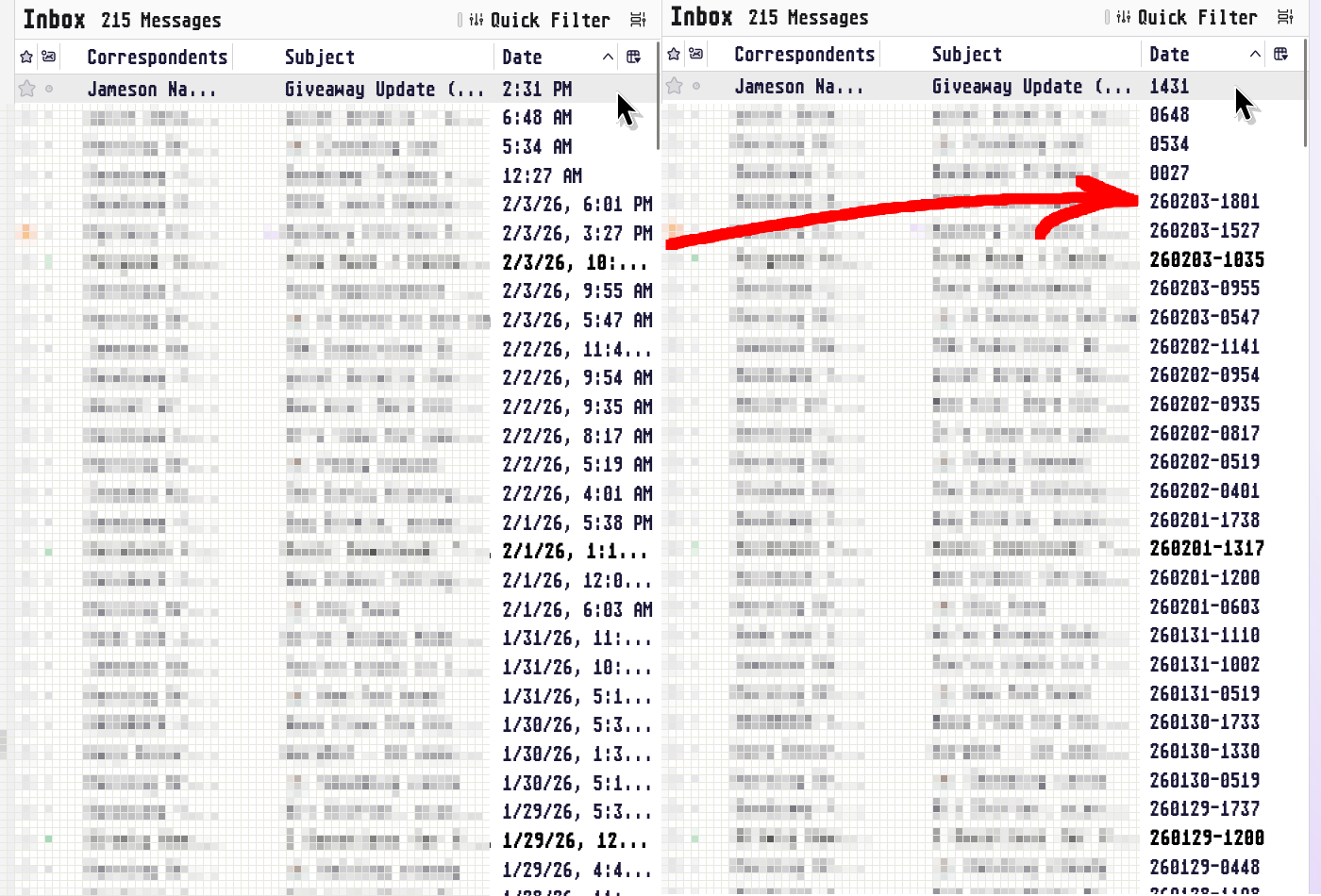
this is a quick guide explaining Mozilla's poor documentation of the feature (half their page references a preference section that doesn't exist).
applicable since Thunderbird 91, using version 140.7.0esr as of writing.
TL;DR
- go to general settings
- search
config editor - add custom strings with new values:
intl.date_time.pattern_override.date_short
value =
yyMMdd(for shortened ISO)
intl.date_time.pattern_override.time_short
value =
HHmm(for 24H clock)
intl.date_time.pattern_override.connector_short
value =
{1}-{2}(for date-time separator)
i don't get it, let me see
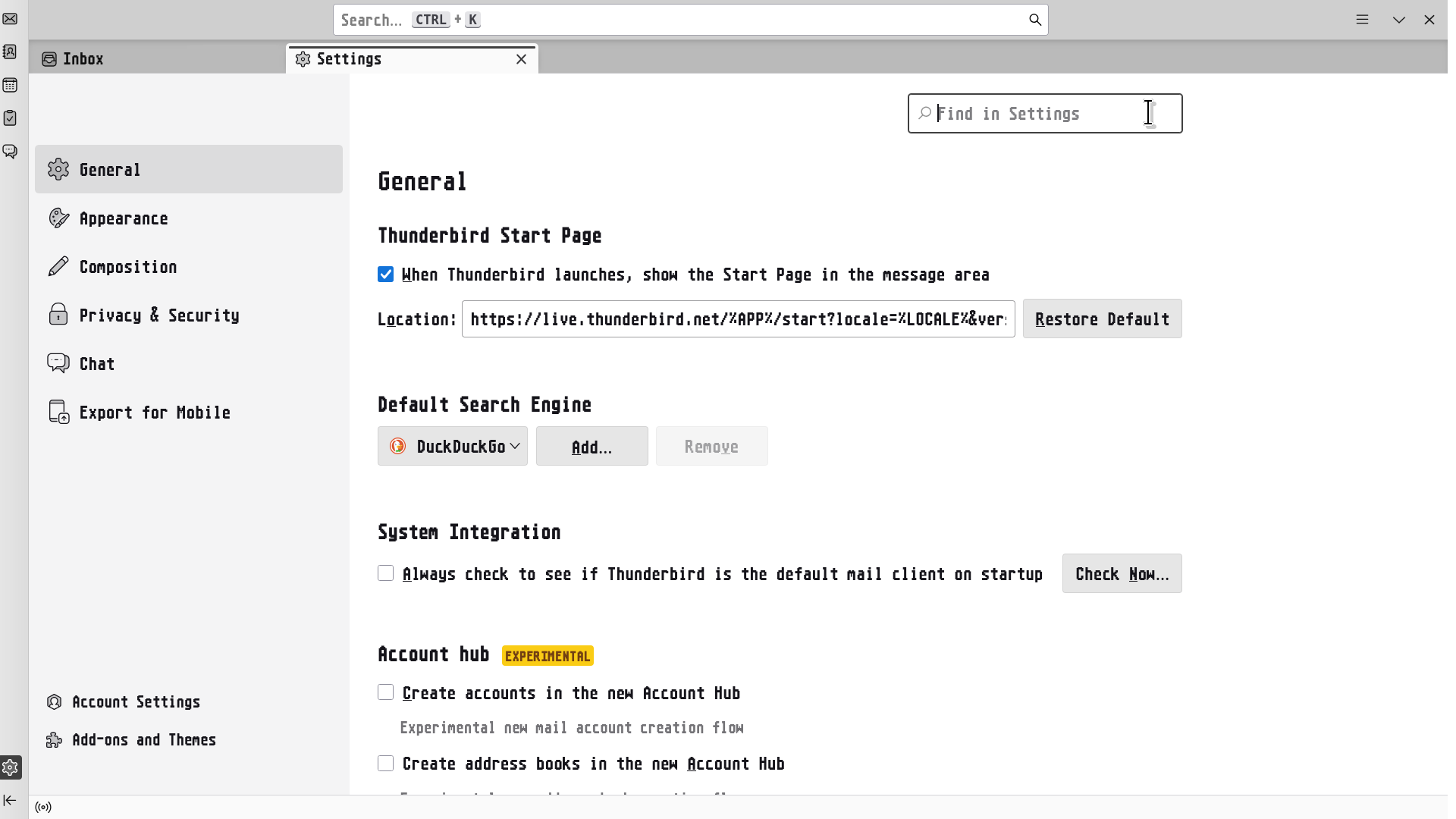
- open the general settings page (not account settings)
- via top right, "Find in Settings", search
config editor - a button for "config settings" should appear. click it.
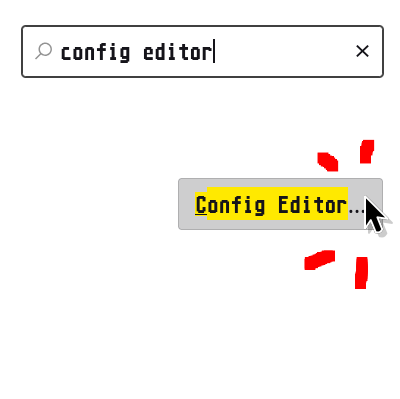
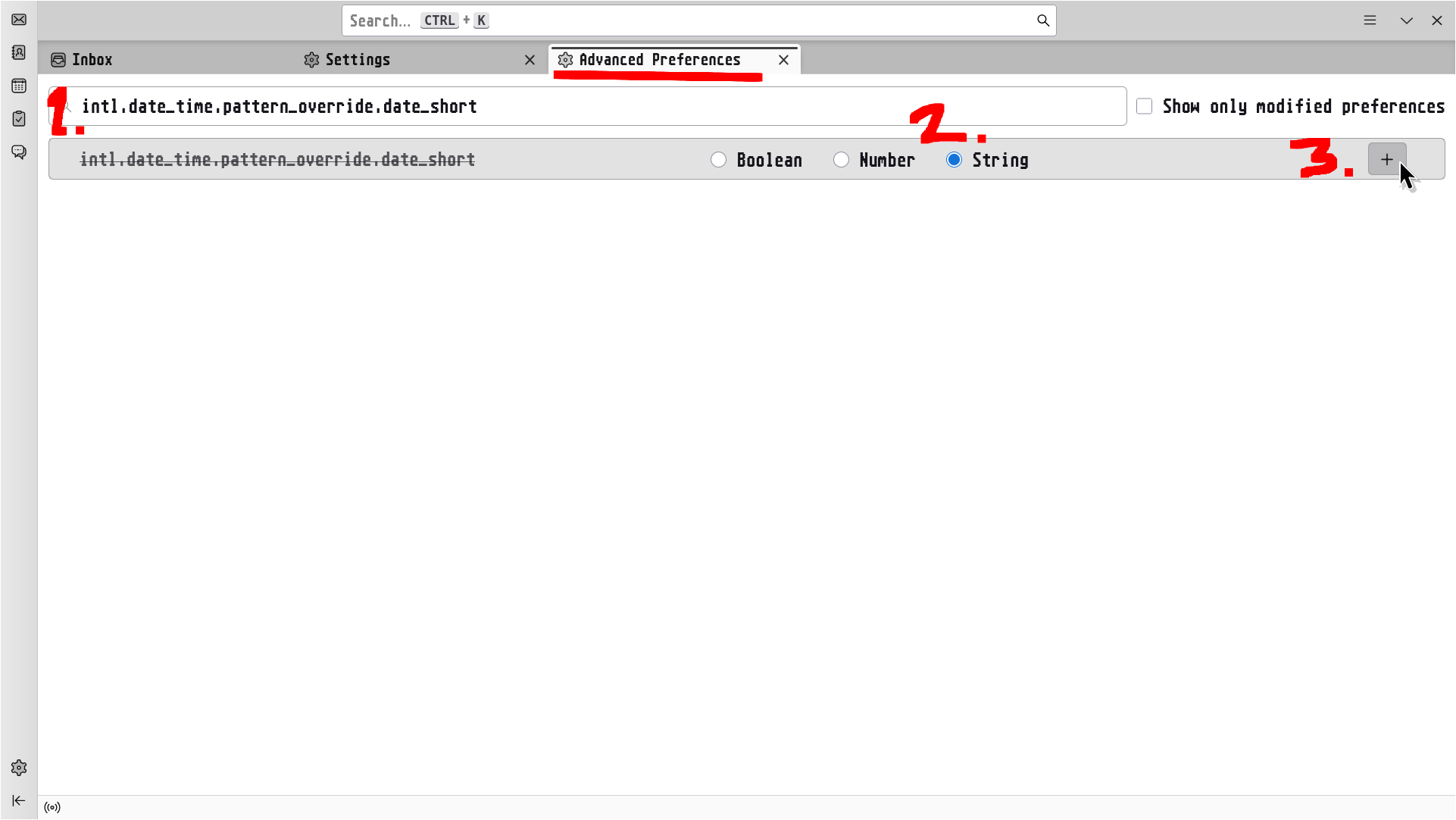
- now on "Advanced Preferences" tab, in "Search preference name" box:
- paste:
intl.date_time.pattern_override.date_short - check the "String" box
- click the "+" button
- input value:
yyMMdd(feel free to add dashes or use "yyyy" for all digits) - hit enter, or click the checkbox

repeat this process for the next two custom preferences
intl.date_time.pattern_override.time_short
value =
HHmm(feel free to use a colon)

intl.date_time.pattern_override.connector_short
value =
{1}-{2}(feel free to use space, underscore, etc.)

if you want to use other alternate formats, reference the Unicode Date Field Symbol Table that Mozilla links to!